**Phishers Go Pro with AI-Powered Forg365 Operation**
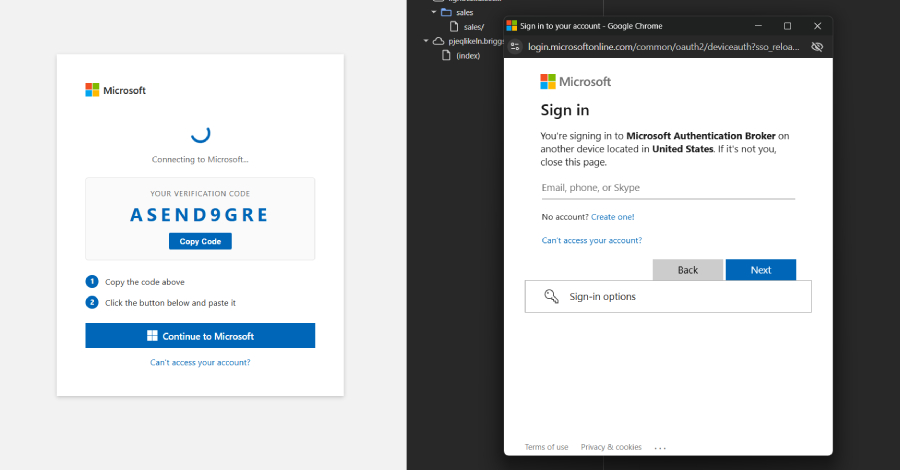
A new phishing-as-a-service (PhaaS) operation called Forg365 has emerged, targeting unsuspecting users of Microsoft 365 with a sophisticated combination of tactics that includes device code phishing, adversary-in-the-middle (AitM) attacks, and AI-assisted lure creation.
The operation, which appears to be highly organized, uses device code phishing to trick victims into handing over sensitive information, such as their Microsoft 365 credentials. Meanwhile, AitM tactics allow the attackers to intercept and manipulate legitimate emails, making it difficult for users to distinguish between genuine messages and phishing attempts.
The use of antibot evasion techniques means that Forg365 can bypass automated security systems, making it harder for businesses to detect and prevent the attacks. Additionally, the operation’s reliance on AI-assisted lure creation enables the phishers to craft highly personalized and convincing emails that are likely to evade human detection.
Post-compromise mailbox operations further complicate the situation, as the attackers can use compromised email accounts to send more targeted phishing attempts or even use the account to send malware-laden emails.
What this means
**Double down on security awareness**: With the rise of sophisticated phishing operations like Forg365, it’s more important than ever for users to stay vigilant and educate themselves on the latest tactics used by attackers. This includes being cautious of unexpected emails, verifying sender information, and being wary of requests for sensitive information.
**Businesses must step up their security hygiene**: Forg365’s use of AitM tactics and AI-assisted lure creation highlights the need for businesses to regularly update their security software, train employees on the latest threats, and implement multi-factor authentication to add an extra layer of protection.
**Microsoft 365 users beware**: If you’re a Microsoft 365 user, it’s essential to be extra cautious when receiving emails purporting to be from Microsoft or other legitimate sources. Verify sender information, check for spelling and grammar mistakes, and never click on suspicious links or download attachments from unknown senders.